How Ruby works
A companion for
the calls that matter.
Ruby preps you before a conversation, hands you the one good follow-up while you talk, and writes the recap after. Quietly — and only for you.
You're on a call where getting good information out of the other person is the whole point. Right when you'd otherwise say "makes sense, anyway…", Ruby surfaces the question that mines what they just said.
1 Before the call
Talk the call through first.
Type one line about your next call and Ruby opens a quick back-and-forth. It reads your brief back, then asks the only question that matters yet: flesh this out, or start? Say more and it helps you get specific — who's on the call, what a good outcome looks like, the thing you always forget to ask — until the goal is sharp. It can pin that goal and a short checklist of points to cover. Or skip all of it and hit Start.
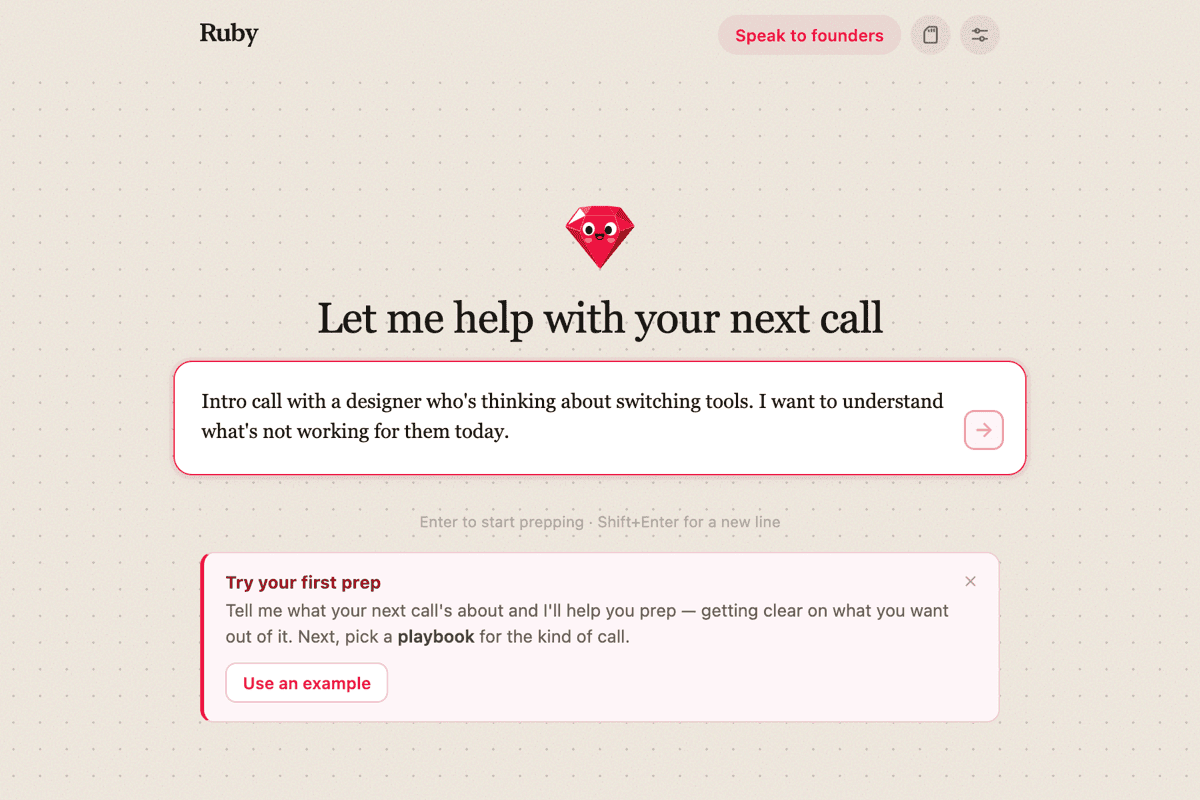
Start with one sentence — Ruby takes it from there.
2 Before the call
Pick a playbook for the kind of call.
A playbook tells Ruby how a certain kind of conversation should go — it shapes how Ruby preps you and what it nudges toward once you're live. Three come built in to start:
- Sales discovery — listen and qualify; mine the pain before pitching.
- Hiring interview — push for real past examples over hypotheticals.
- User interview (Mom Test) — learn their life, not your idea.
Leave it on General for an everyday call. One playbook per call, and it sticks until you change it.
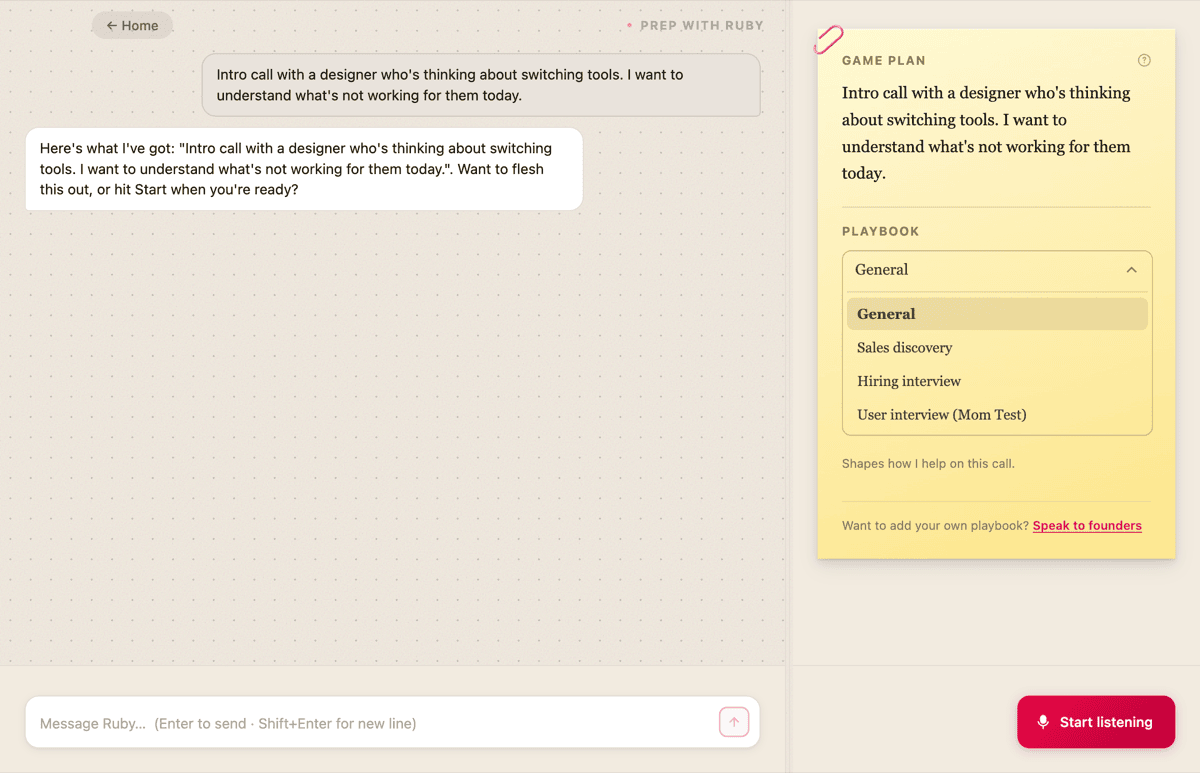
A game plan on the right, with the playbook for this call.
3 During the call
It listens. You just talk.
A small gem rests in the top-right corner. A faint glow means it's hearing the room. It works over any call — Zoom, Meet, FaceTime, a Slack huddle — because it listens at the level of your Mac, not the app.

At rest in the corner — nothing piling up.
4 The moment
The right nudge, at the right second.
When there's a question worth asking, one note blooms beneath the gem and fades on its own a few seconds later. One at a time, never a feed to manage. Want help on the spot? A hotkey asks Ruby directly.
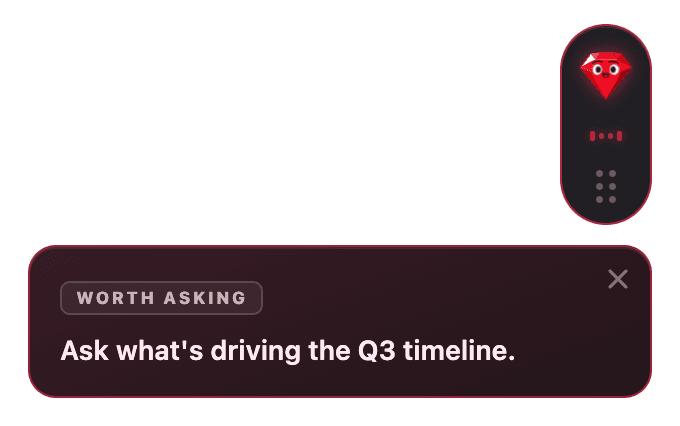
One ephemeral note, then it's gone.
5 When you want it
Everything it surfaced, on a click.
Miss one while you were talking? Click the gem and a quiet scrollback of every note from this call opens up. Click away and it tucks back into the corner.
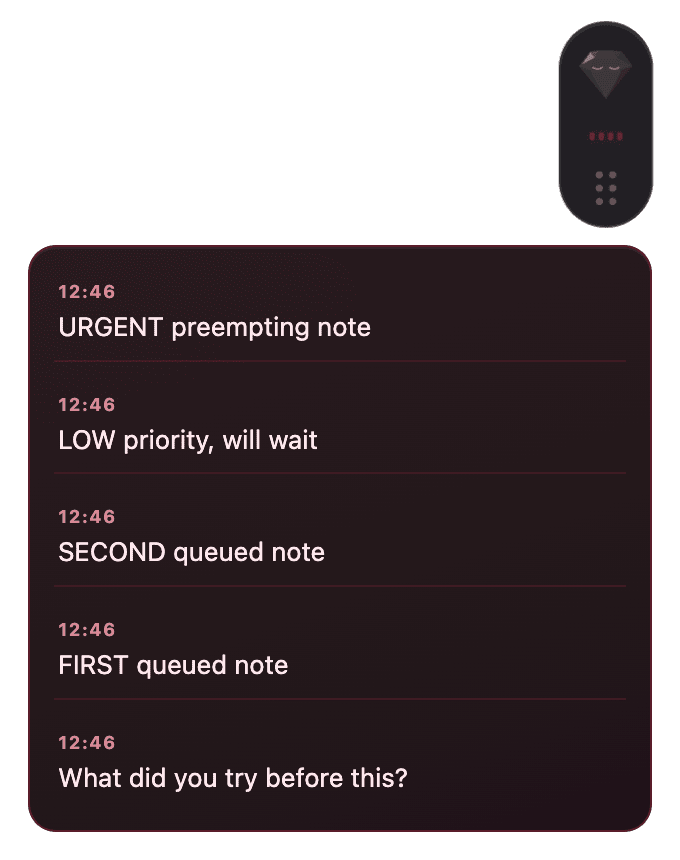
A timestamped history of the whole call.
6 After the call
One recap card, written for you.
When you hang up, Ruby writes a single card: the gist in a few lines, the insights and quotes worth keeping, and the questions you didn't get to. The ones Ruby helped surface are marked — and it under-claims credit when it isn't sure.
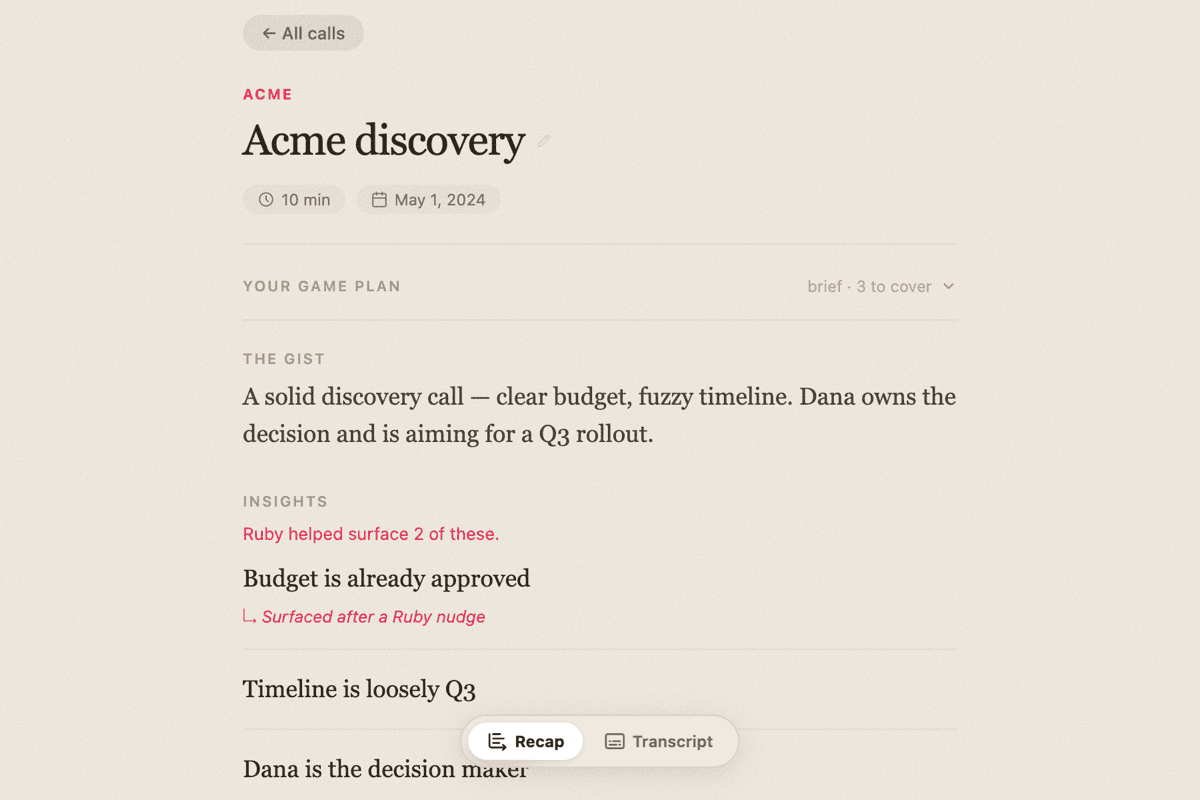
Recap, insights, and the questions left on the table.
7 Over time
It learns how you like to be nudged.
Tell Ruby once how to behave — "hold pricing nudges until they bring up budget," "don't interrupt mid-sentence" — and it applies to every call from then on. You're tuning the coach, not retraining a model.
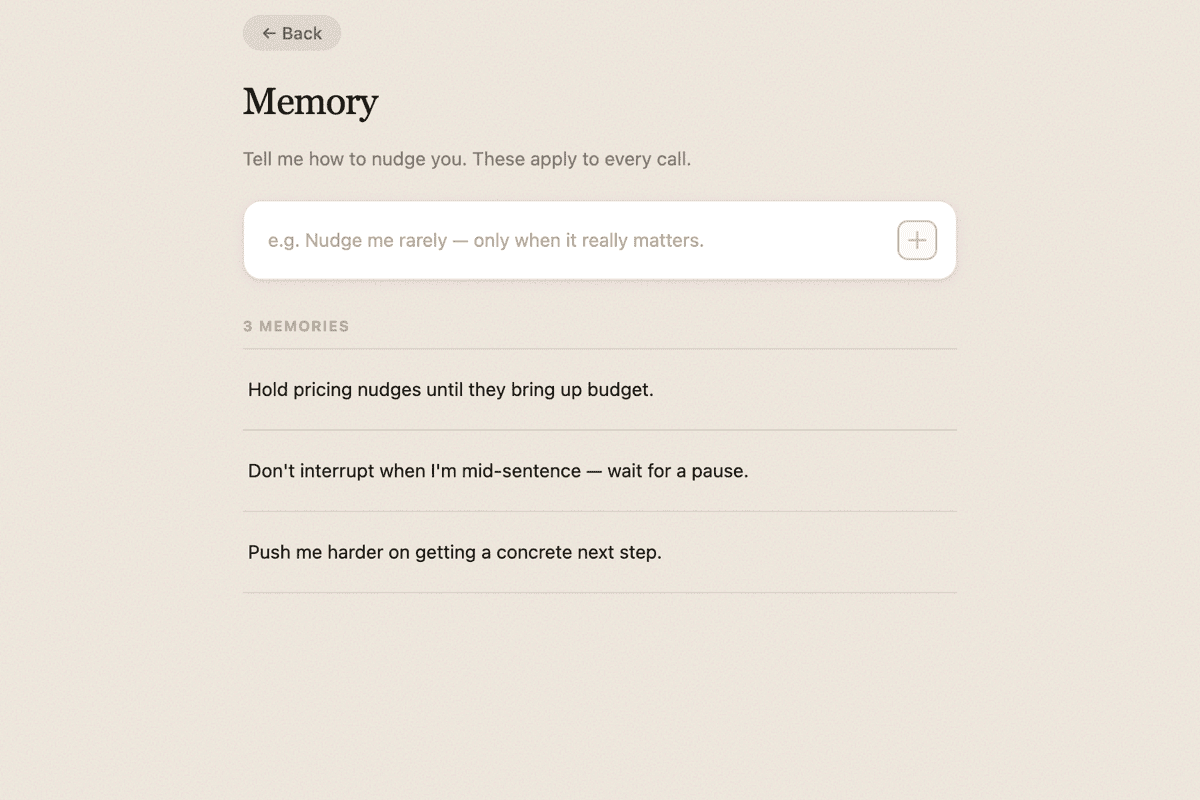
Standing instructions that shape every call.
The quiet rules
The whole point is to help without ever getting in the way. Three things Ruby holds to.
Quiet by default
A bad nudge is worse than no nudge. Ruby stays silent unless it has something that truly fits.
Only you can see it
The gem is hidden from screen shares and makes no sound. The other side never knows it's there.
Runs on your machine
You start every call by hand. No background listening, no calendar snooping, no meeting it joined on its own.
Try it on your next call.
Set it up once, then just start a call when it matters.
Get Ruby